
PokeBonk Clans: Membership & Social Features
Current source scope: Beta v0.7.3 · Checked October 19, 2026
THE QUICK ANSWER
Clans group registered trainers for membership, announcements and seasonal contribution. They are social features, not proof of live multiplayer combat. Open clans allow immediate entry; request-based clans need approval, and invitation-only clans need an invitation.
In these notes
Join or create through the clan menuMembership, announcements and capacityRead the season warning before leavingA clan is not the announced co-op modeSources and version scope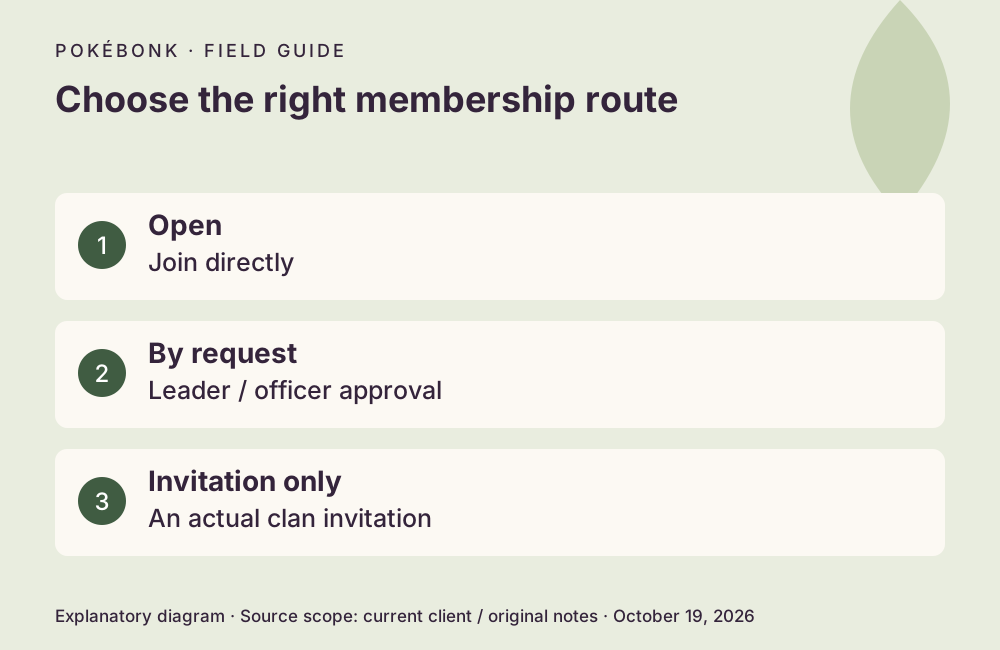
Join or create through the clan menu
Use a registered account, then open the clan menu. Inspect the clan’s membership mode and available space. An Open clan permits direct joining; By request sends a request for a leader or officer to accept; Invitation only requires the invitation path. A submitted request is not completed membership. The client also blocks joining another clan while you already belong to one.
To create a clan, choose Create clan, enter its name and tag, design the emblem and choose Open, By request or Invitation only. The current client shows a 2,000-Stardust founding cost. Read the confirmation before choosing Found clan, then confirm that the new clan and your membership are shown. This is a client-defined cost and flow, not a purchase tested by this guide.
Membership, announcements and capacity
A public clan listing and internal management screens have different audiences. Do not post sensitive information in a name, announcement or public listing. The sources do not establish a guarantee that every message is private, a full chat system or a complete privacy policy for each tab. Read the current audience and role prompts before sharing.
| Feature | Documented scope |
|---|---|
| Members / Requests / Activity | Management views for membership and contribution; requests need the appropriate role. |
| Announcements | Leader announcements shown for seven days. |
| Capacity | Starts at 30; ten-slot expansions up to 100, starting at 500 Stardust. Members can contribute to expansion. |
| Mailbox | Receives applicable invitations / membership messages. |
| Season contribution | Includes run contribution; Patch #7 fixes Survival counts. |
Read the season warning before leaving
The current leave warning says that contributed season points remain with the clan while a leaving member does not receive its season prizes. Leaving a sole-member clan dissolves it. A leader’s disband action is permanent. These consequences make leaving, deleting and disbanding poor experiments for checking whether a button works.
The current patch allows leaders to rename a clan. An ordinary member should not expect leader-only controls to appear. No clan was joined, created or dissolved for this guide. Exact actions and permissions should be checked against the role displayed in your account.
Sources and version scope
This independent guide uses the original project’s menu text, current client definitions and dated announcements. Menus were inspected; no run, purchase, reward claim or account recovery was played through for this guide.
- Original English entry — v0.7.3, entry and menu observations checked October 19, 2026.
- Original news feed — Patch #7 and earlier mechanic changes; roadmap statements retain their announced scope.
- Current roster and upgrade definitions and client rules — exact definitions, not a claim about every server outcome.
Source-check dates are separate from publication dates. This page is part of a local preview. Read the source and artwork approach.
A clan is not the announced co-op mode
The October 19 roadmap places co-op shortly after Season 2 begins, with timing still pending. That announcement does not mean joining a clan launches a shared combat session today. Read released features versus plans before following an older multiplayer claim.
For competitive contribution and result eligibility, use the leaderboard guide. For an old invitation-code search, game access and clan invitations are separate tasks.