
PokeBonk Save Progress: Guests, Accounts & Recovery
Current source scope: Beta v0.7.3 · Checked October 19, 2026
THE QUICK ANSWER
Guest progress is associated with your device/browser context. To keep it under an account, use Save to account from that same guest session. Patch #7 adds immediate capture/shiny saving, run recovery and persistent result retries, but it does not guarantee recovery after every loss of local data.
In these notes
Guest and account progress have different access pathsAssociate your current guest with an accountReloads, interrupted runs and result retriesAvoid destructive troubleshootingSources and version scope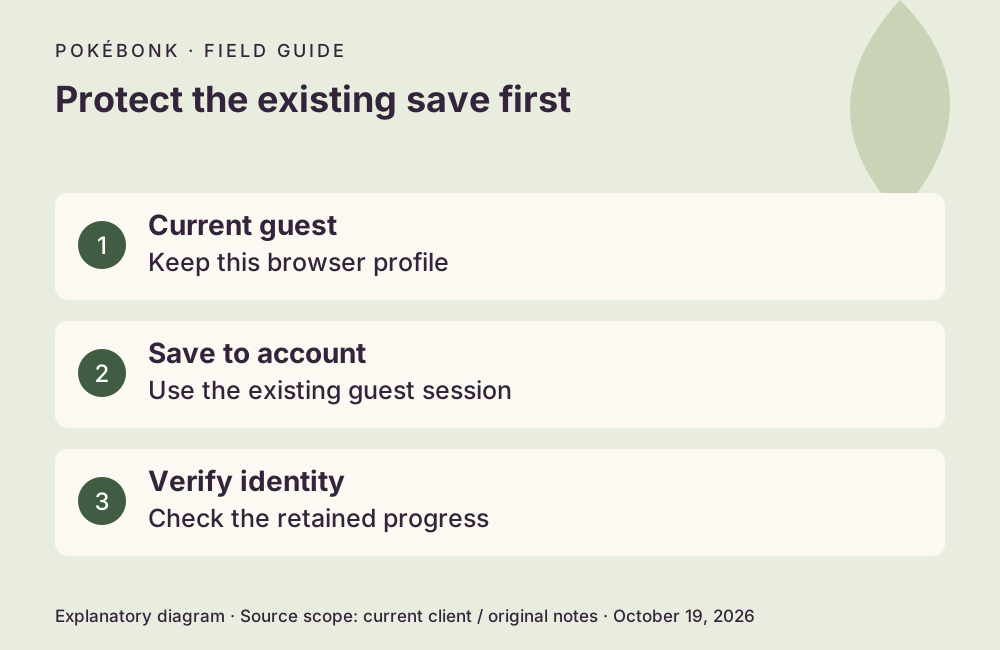
Guest and account progress have different access paths
The guest entry explicitly links progress to the device. Treat the same browser profile and its stored session as necessary to recover that guest. A private window, another browser, another device or cleared site data may not identify the same guest. Do not assume that a familiar nickname is a recovery credential.
An account provides a sign-in identity for saved progression. The current menu offers conversion of the existing guest through Save to account. Signing into a different existing account is not the same as merging the guest into it; no universal merge or rollback was verified.
Associate your current guest with an account
Patch #7 specifically mentions fixes to guest exit progress and the Save to account form. These are official fix claims, not evidence that this guide tested a real user’s conversion. Account credentials and verification requirements should be read from the current form.
- Stay in the browser profile containing the guest whose progress you want to keep. Check its visible League or Lab progress first.
- Choose Save to account from that guest session and complete the form shown by the game. Use the conversion path instead of starting a new guest.
- Wait for confirmation. Verify the resulting account identity and the progress you expected to retain.
- Keep the original session until you have confirmed the save. If the form fails, preserve the error and session rather than clearing storage.
Reloads, interrupted runs and result retries
A retained pending result is not yet proof of a valid leaderboard score. Review and validation can still apply after transmission. The patch does not promise that deleting local storage leaves enough information to reconstruct every pending run.
| Situation | Current documented behavior | Your useful check |
|---|---|---|
| A run was interrupted by closing the page | A recovery card can restore an interrupted run | Return in the same profile and inspect the offered recovery. |
| A capture or shiny was obtained | Patch #7 says it saves immediately | Check the saved collection/League rather than waiting an invented fixed number of seconds. |
| The end result cannot be submitted | Automatic retries and a Retry button; result retained on the device until sent, even after closing | Keep the same local data and look for confirmation. |
| A portal would leave a pending shiny | A warning/confirmation was added | Resolve the warning before leaving. |
Avoid destructive troubleshooting
Do not reset account progress, delete the account or clear browser storage as an initial connection fix. Settings → Account contains destructive actions as well as rename controls; they are not recovery tools. Keep account passwords and session tokens out of support reports.
For a missing save, collect the trainer identity, actual version, device/browser, last known intact progress, whether it was guest or account, and the exact interruption. Ask the project support community what is recoverable. The historical shiny fix restored reported losses for affected reporters; it is not a standing guarantee for every future case.
Sources and version scope
This independent guide uses the original project’s menu text, current client definitions and dated announcements. Menus were inspected; no run, purchase, reward claim or account recovery was played through for this guide.
- Original English entry — v0.7.3, entry and menu observations checked October 19, 2026.
- Original news feed — Patch #7 and earlier mechanic changes; roadmap statements retain their announced scope.
- Current roster and upgrade definitions and client rules — exact definitions, not a claim about every server outcome.
Source-check dates are separate from publication dates. This page is part of a local preview. Read the source and artwork approach.