
PokeBonk Shiny Pokémon: Encounters & Saved Progress
Current source scope: Beta v0.7.3 · Checked October 19, 2026
THE QUICK ANSWER
A shiny is identified by the game’s shiny presentation/label and saved capture record, not merely by an unusual lighting effect. Obtain the capture and check its saved state. Patch #7 saves captures and shinies immediately and fixes earlier missing records; a sighting alone is not a retained shiny.
In these notes
Confirm the encounter’s shiny stateWhat affects encounters and capture?Check saved progress before leavingWhat this guide does not turn into a guaranteeSources and version scope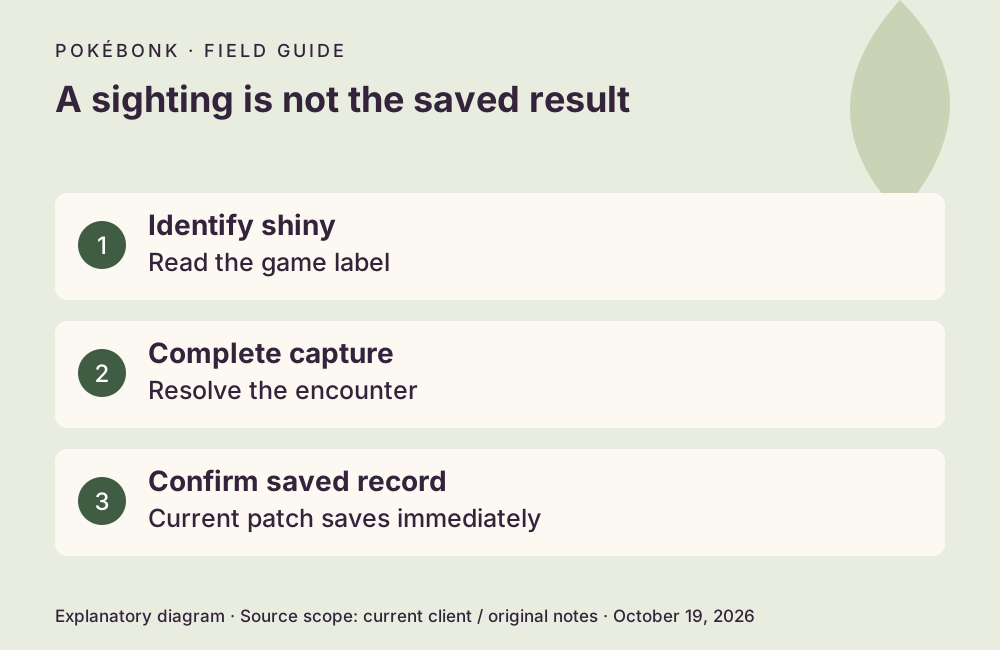
Confirm the encounter’s shiny state
Use the encounter’s shiny indication and the saved collection/profile record. Color alone in a recording or a dim scene can be misleading. Do not identify a species as shiny solely because a thumbnail uses an alternate color, outline or filter.
The current portal warning can ask you to confirm leaving a pending shiny behind. Read it before transitioning. A pending encounter is different from a completed capture; closing the page or leaving the area is not a capture method.
What affects encounters and capture?
The current Shiny Charm description increases shiny appearance frequency by 50% and extends the documented wild flee window from 120 to 150 seconds. This is a relative increase, not a 50% absolute shiny chance. Ordinary wild shiny base odds were not fully established; do not import the main-series 1-in-4,096 rate.
For legendary encounters, the current client contains a 3% base shiny roll multiplied by its shiny-rate modifier, excluding Survival. That scoped client rule is not a universal 3% rate for every wild encounter. The original notes describe a guaranteed throw after defeating the relevant legendary; ordinary wild throws can still fail. Capture types have different purposes.
Check saved progress before leaving
Patch #7 fixes an earlier issue that saved only the first three shinies and now supports up to six in the affected run/save path. It also says reported losses were restored for affected reporters. That is a dated fix and support action, not proof that every historical or future missing shiny can be recovered. Protect your save before changing browser profiles.
- Read the shiny indication and finish the applicable capture interaction.
- Resolve any pending shiny warning before taking a portal.
- Check the saved collection/profile after the capture. The current patch says saving is immediate.
- If an end-result submission is pending, retain the same device/browser data and use the offered retry path.
What this guide does not turn into a guarantee
A current client rule does not establish every server-side rate, luck interaction or encounter frequency. No shiny hunt was played or counted for this guide, and no expected number of runs is calculated from unverified wild odds. The sources also do not establish that every shown shiny is a permanently selectable League partner.
For a missing record, preserve the trainer identity, version, species, mode, approximate encounter time, whether the capture completed and the interruption details. Ask project support about that specific record instead of repeatedly resetting or creating new guests.
Sources and version scope
This independent guide uses the original project’s menu text, current client definitions and dated announcements. Menus were inspected; no run, purchase, reward claim or account recovery was played through for this guide.
- Original English entry — v0.7.3, entry and menu observations checked October 19, 2026.
- Original news feed — Patch #7 and earlier mechanic changes; roadmap statements retain their announced scope.
- Current roster and upgrade definitions and client rules — exact definitions, not a claim about every server outcome.
Source-check dates are separate from publication dates. This page is part of a local preview. Read the source and artwork approach.