
How to Play PokeBonk: Browser Entry & Your First Run
Current source scope: Beta v0.7.3 · Checked October 19, 2026
THE QUICK ANSWER
Open the original game at pokebonk.com, choose guest play or sign in, then pick Bulbasaur, Charmander or Squirtle as your first League partner. The public entry checked on October 19 did not require an invite. Play happens in the browser; there is no official installer to fetch first.
In these notes
Start at the original browser entryChoose guest play or an accountPrepare your first runKnow what to look for once you enterSources and version scope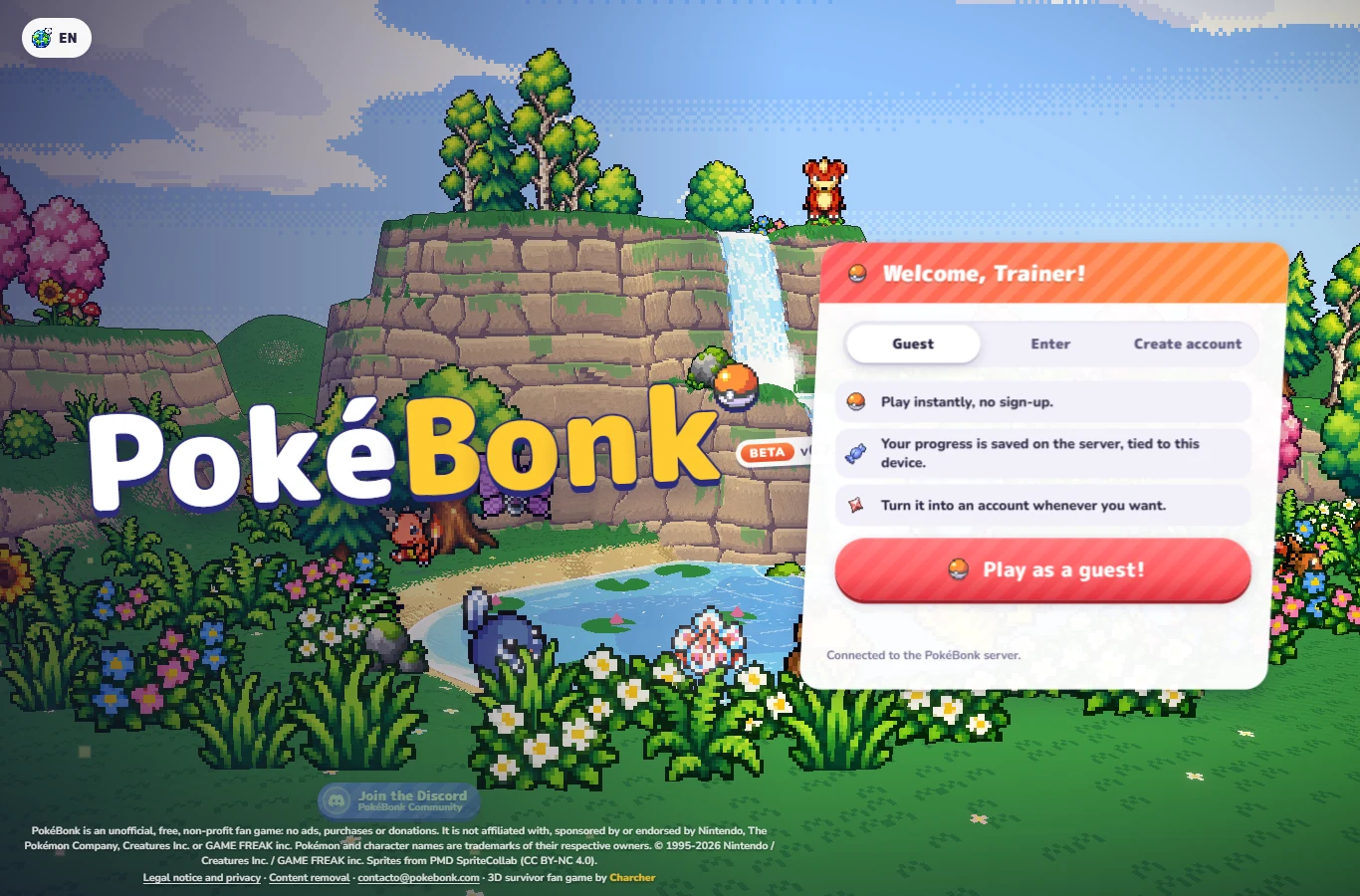
Start at the original browser entry
Use the original English entry. Check the domain before entering account details: this guide concerns Charcher’s 3D survivor. Similar names can refer to unrelated projects. The game needs a browser capable of running its 3D graphics and a working connection to its service. The project does not publish a complete supported browser or hardware matrix.
Allow the page to finish loading its graphics. A blank or failed connection screen needs connection checks; a running game with choppy motion needs frame-rate checks. On a phone, follow the mobile entry and touch guide.
Choose guest play or an account
Guest play lets you reach the game without creating an account. Its entry description associates progress with the device. Treat that browser profile as part of the save: private browsing or clearing its storage is a poor way to preserve it. An existing account lets you sign in; a new guest can later use Save to account to retain that guest’s progress. See the conversion steps before changing browsers or devices.
Guests are not eligible for the competitive leaderboards. You can still use guest entry to inspect the game before deciding whether to register. The current access check found no invitation requirement; older invite-code discussions describe a different stage.
Prepare your first run
Bulbasaur emphasizes healing, Charmander Fire damage and Squirtle defense. The starter comparison explains the actual passive differences. The opening choice does not permanently exclude the other two: their later challenge requires two completed runs, win or lose, followed by the relevant capture/unlock process.
A starter’s four-move kit does not mean four equipped moves at the beginning. The normal move capacity starts at three; the Lab’s fourth-slot upgrade is separate. Read move slots and offered choices before planning a full kit.
- Read the three first-partner cards. Select one and confirm the choice; the menu shows that Pokémon as your League partner.
- Review the movement, jump, interaction and Ultimate bindings in Settings → Controls. Choose touch controls on a phone if needed.
- Choose the available region, mode and difficulty shown in your menu. Read any padlock condition instead of assuming every displayed option is already unlocked.
- Use the menu’s Start action when ready. Collect experience during the run, read level-up choices and keep moving while attacks resolve.
Know what to look for once you enter
For Classic, the immediate navigation task is finding the zone’s guardian altar, then following the resulting progression route. Patch #7 makes the guardian altar, shrine and portal visible on the big map even before you visit them. The map guide explains markers without pretending there is a fixed coordinate route.
A run can also advance research, capture progress and achievements. These are different from the temporary levels and evolution reached within that run. Check the result screen and your League afterward; do not judge saved progress only by whether your Pokémon evolved. No run was played for this guide, so these steps describe documented controls and progression rather than a tested victory route.
Optional recording reference
 CD喜德 · 1:23 · Entering the game
 Chinese introduction recorded before the current patch. Its supplied description includes an entry chapter; labels may differ in v0.7.3.
External YouTube link. The cover and supplied chapter description identify the recording; they do not prove this guide played or verified its strategy.
Sources and version scope
This independent guide uses the original project’s menu text, current client definitions and dated announcements. Menus were inspected; no run, purchase, reward claim or account recovery was played through for this guide.
- Original English entry — v0.7.3, entry and menu observations checked October 19, 2026.
- Original news feed — Patch #7 and earlier mechanic changes; roadmap statements retain their announced scope.
- Current roster and upgrade definitions and client rules — exact definitions, not a claim about every server outcome.
- Original service status — a point-in-time entry/registration check, not an outage monitor.
Source-check dates are separate from publication dates. This page is part of a local preview. Read the source and artwork approach.