
PokeBonk Lag Fix: Performance Checks & Settings
Current source scope: Beta v0.7.3 · Checked October 19, 2026
THE QUICK ANSWER
If the game still moves but stutters, start with Graphics settings and Show FPS. If it cannot connect, sign in or submit a result, use the connection guide instead. Change one setting at a time and compare the same scene; clearing a guest’s browser data is not a frame-rate fix.
In these notes
Find the matching symptomTry the supported graphics controlsWhat Patch #7 changedKeep a useful before-and-after recordSources and version scope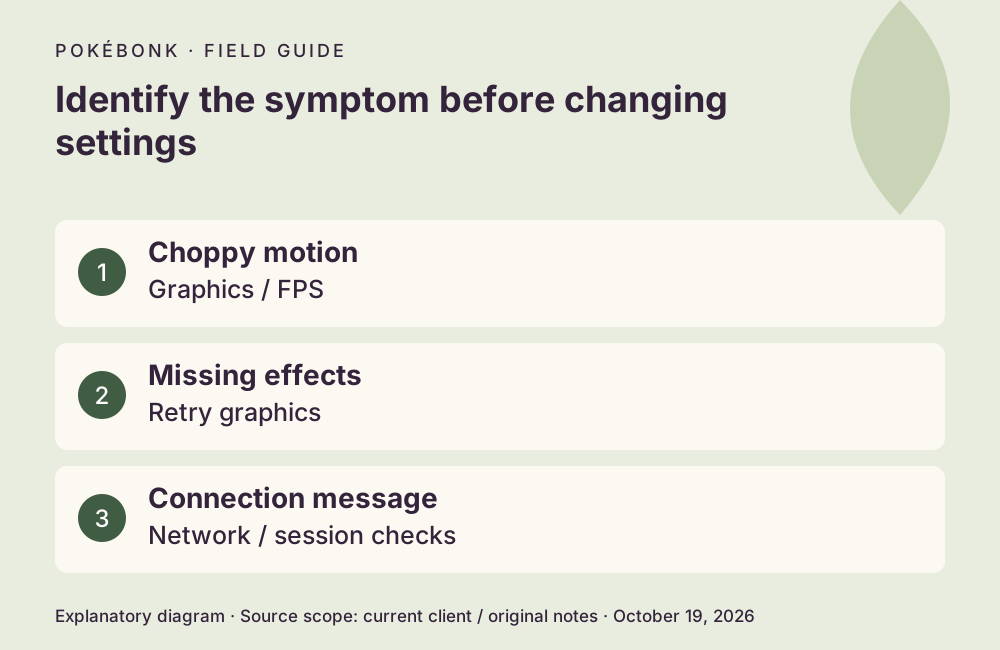
Find the matching symptom
Record the browser version, operating system, device, game version and whether the issue occurs in the menu or only among many enemies. A low-FPS scene and a slow network request require different evidence. Connection diagnosis covers session and service messages.
| What you see | First useful check | What would count as improvement |
|---|---|---|
| Animation and camera stutter while the run continues | Show FPS and a lower graphics preset | Motion becomes smoother in the same scene. |
| Your attacks obscure the scene | Hide My Attacks; Reduce Flashes | Your own effects become less intrusive; enemies remain visible. |
| A graphic never loads or the screen stays incomplete | Retry the missing graphic; Graphics → Reload graphics | The missing asset appears. |
| A connection or submission error | Use the connection guide | The service reconnects or confirms submission. |
Try the supported graphics controls
Close other heavy tabs or apps, then compare again without changing everything at once. Check that the browser is up to date and that its graphics acceleration is available. The project has not supplied a definitive browser-by-device compatibility table, so switching browsers is a comparison test rather than a guaranteed cure.
- Enable Show FPS so you can compare the same camera view or similarly busy scene. Note the original setting.
- Try Low graphics. On a phone, Battery Saver targets 30 FPS with a lower render resolution; it is a supported option, not a promise of 30 FPS on every device.
- Try Hide My Attacks, Reduce Flashes or the Simple pickup display if effects or pickups make the scene hard to read. Enemy attacks should remain visible.
- If the problem is an unloaded graphic, use Retry or Reload graphics instead of repeatedly restarting an unsaved session.
What Patch #7 changed
The October 18 UTC announcement describes mobile memory-release fixes, fewer portal crashes, a fix for 90 Hz screens stuck at 45 FPS and fullscreen FPS behavior. It also adds a way to continue without graphics while retaining the HUD and minimap. These are released fix notes; they are not measurements from your phone. See the dated update summary.
If keys feel wrong while FPS is steady, check input remapping and whether the game has focus. Patch #7 specifically mentions Firefox WASD and accidental upgrade confirmation fixes.
Keep a useful before-and-after record
Compare the same setting in the same sort of scene, noting FPS, responsiveness and missing visuals separately. Restore a change that makes no useful difference. Do not clear site storage or create a new guest simply to test graphics; guest-save protection comes first.
For an unresolved case, report the device, browser, v0.7.3 or your actual displayed version, settings, region/mode and a short description of the trigger in the project Discord. Include a screenshot of the error if relevant; never include passwords or session tokens.
Sources and version scope
This independent guide uses the original project’s menu text, current client definitions and dated announcements. Menus were inspected; no run, purchase, reward claim or account recovery was played through for this guide.
- Original English entry — v0.7.3, entry and menu observations checked October 19, 2026.
- Original news feed — Patch #7 and earlier mechanic changes; roadmap statements retain their announced scope.
- Current roster and upgrade definitions and client rules — exact definitions, not a claim about every server outcome.
Source-check dates are separate from publication dates. This page is part of a local preview. Read the source and artwork approach.