
PokeBonk Connection Error: Server & Session Checks
Current source scope: Beta v0.7.3 · Checked October 19, 2026
THE QUICK ANSWER
Record the exact message first. A connection/session error, missing graphic and low frame rate are different problems. Preserve the current browser profile and any pending result, check the original entry and service state, then try a limited network/browser comparison without deleting progress.
In these notes
Match the message to the failing stageTry checks that distinguish likely causesKeep pending results and captures safeSend a report that can be acted onSources and version scope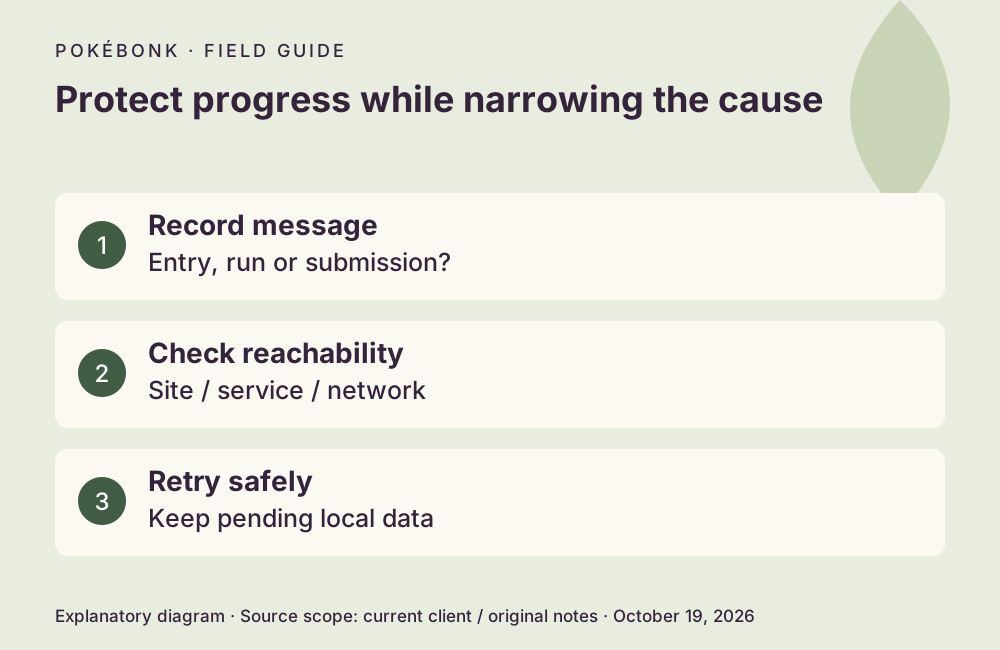
Match the message to the failing stage
The original entry and service were reachable during the October 19 check, with maintenance.on false. That observation does not prove every player, region or network was connected. A dormant maintenance message in a status payload is not an active outage when the controlling flag is false. For stutter, use the performance symptom table.
| Symptom | What to investigate |
|---|---|
| Original page will not open | Domain/network reachability and local browser errors. |
| Page opens but cannot reach the game service | Service response, network restrictions or a session issue. |
| Sign-in fails | Exact account/session message; do not create a replacement guest over the intended save. |
| End-of-run result fails to send | Automatic retry / Retry button and pending local result. |
| Game moves slowly without a connection error | Graphics and frame rate; use the lag guide. |
| One graphic does not load | Retry / Reload graphics rather than assuming the whole service is offline. |
Try checks that distinguish likely causes
A comparison in another browser or private window may show whether the entry loads, but it is not a guest-save transfer. Do not expect the same guest identity there, and keep the original profile intact. Report the difference rather than treating a new empty guest as proof that the old progress disappeared.
- Keep the affected tab and record its exact message, time, displayed version and whether it happened at entry, sign-in, a portal or result submission.
- Check whether the original site opens and whether its current news/status reports maintenance. Do not repeatedly submit account forms while service access is failing.
- Check other ordinary sites on the same connection. If appropriate, compare a trusted alternate network to distinguish a local network restriction from a broader service issue.
- Check browser extensions or blocking rules that can prevent game assets/service requests. A temporary comparison should preserve the original profile and save.
- Use an offered Retry or recovery action once the connection returns, then wait for confirmation.
Keep pending results and captures safe
Patch #7 automatically retries failed end-result submissions and retains the pending result on the device even after closing, with a Retry button. Captures and shinies are described as saving immediately. These changes depend on preserving the relevant local/session data; clearing it is not a safe first response. The recovery table separates those cases.
Do not choose Reset progress or Delete account to repair a network error. If a sign-in/session message persists, keep the account identity and original error for support, and never share a password, session token or full authentication response.
Send a report that can be acted on
Use the project Discord with the trainer identity, exact error text, timestamp/time zone, actual game version, device/browser, network comparison and stage of play. Mention whether a recovery card or pending-result Retry appeared. A screenshot of the message is useful; sensitive credentials are not.
No universal server repair or guaranteed save restoration can be inferred from one successful menu connection. Check the current official fixes for your symptom, then describe what still fails instead of repeatedly deleting data or making new accounts.
Sources and version scope
This independent guide uses the original project’s menu text, current client definitions and dated announcements. Menus were inspected; no run, purchase, reward claim or account recovery was played through for this guide.
- Original English entry — v0.7.3, entry and menu observations checked October 19, 2026.
- Original news feed — Patch #7 and earlier mechanic changes; roadmap statements retain their announced scope.
- Current roster and upgrade definitions and client rules — exact definitions, not a claim about every server outcome.
- Original service status — a point-in-time entry/registration check, not an outage monitor.
Source-check dates are separate from publication dates. This page is part of a local preview. Read the source and artwork approach.