
PokeBonk Unblocked: Play in Your Browser Without Download
Official browser entry checked November 20, 2026. No filter bypass or mirror is provided.
Content updated
THE QUICK ANSWER
PokeBonk is a free browser game at pokebonk.com. There is no separate “unblocked” build: whether it opens depends on your network, school or parental filter. This page shows the official entry, how to play without a download, and how to tell a network block from a game connection error. It does not bypass filters.
In these notes
What "unblocked" meansOpen the official entryNetwork block or game errorSchool and parental filtersFAQSources and scope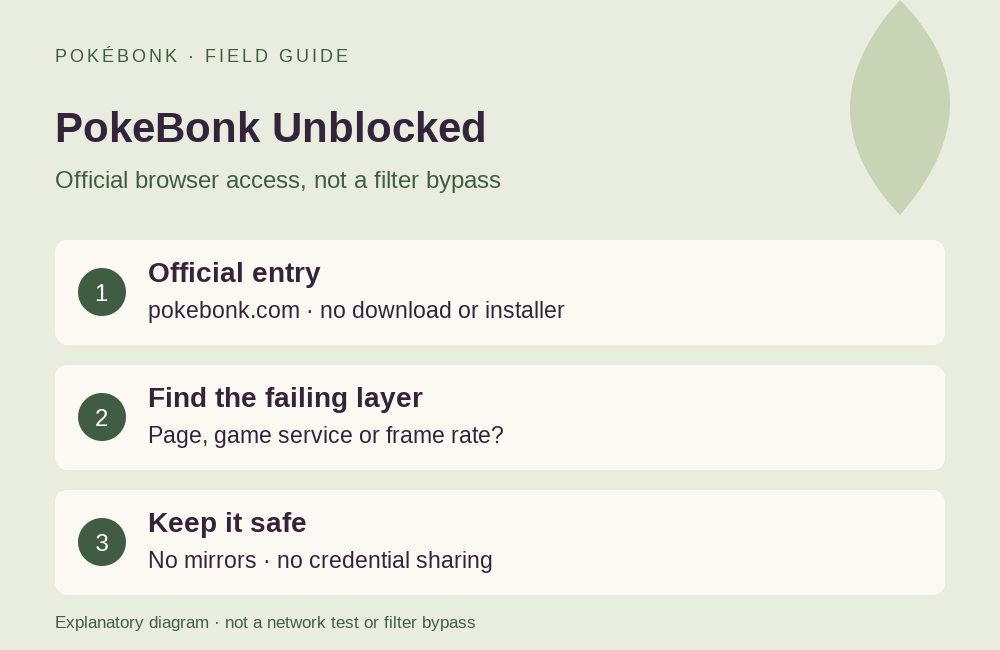
What “unblocked” means for PokeBonk
PokeBonk is Charcher’s free, fan-made 3D Pokémon survivor. It runs in a browser, so there is no installer, APK or app-store version to “unblock.” The official entry is pokebonk.com.
“Unblocked” describes the network, not a different game build. A school, workplace or parental filter may block the domain, a DNS lookup or the game service. This page helps you identify which one is happening and points you to the official entry. It does not provide a proxy, mirror or filter bypass.
Open the official browser entry
- Check the domain before entering account details. The official English entry is pokebonk.com; similar domains may be unrelated projects.
- Wait for the 3D scene to load. A blank page or a failed service connection is an access problem; a running game with choppy motion is a performance problem.
- Choose guest play or sign in. Guest progress is tied to the browser profile; convert an existing guest with Save to account if you want to keep it.
- Pick Bulbasaur, Charmander or Squirtle and start a run. The full first-run guide covers the menu and controls.
There is no official app store or APK. Avoid “PokeBonk unblocked” mirror sites that wrap the game in another page, ask for credentials, or promise to bypass a school filter. Use the official domain and this guide’s access checks instead.
Network block or game error?
Record the exact message and the stage where it appears. The fix depends on which layer failed:
- The page or domain will not open. This points to DNS, a network filter or a local connection. Try a permitted network or device, then ask the network administrator. Do not assume the game is down.
- The page opens but the game service or sign-in fails. Use the connection error guide to distinguish a service or session problem from a local network issue.
- The game runs but stutters. Use the PokeBonk lag fix; a network bypass will not fix frame rate.
- One graphic or the whole scene is blank. Retry the page first. If it persists, record the message and check the service state before clearing browser data.
Preserve the current browser profile and any pending result. Clearing site data is not a safe first response, especially for a guest account; the save recovery guide explains the 60-day guest limit.
School, work and parental filters
This guide cannot bypass a school, workplace or parental control. If the official domain is blocked, use a device and network where the game is permitted, or ask the administrator or parent to review the rule. A “working” proxy or mirror is not a safe substitute: it can inject ads, change the game files or collect passwords.
On a managed Chromebook or phone, the device policy may block browser games even when the network allows the domain. Check the device policy with the administrator rather than installing an unofficial client.
FAQ
Is PokeBonk unblocked?
There is no universal answer. PokeBonk is a browser game, so access depends on whether your network, school or parental filter allows the official domain. This guide does not bypass those filters.
Is there an official PokeBonk unblocked version?
No separate unblocked build is published. The official game is the browser entry at pokebonk.com. Third-party mirrors and proxies are not official and should not receive account details.
Can I play PokeBonk without downloading anything?
Yes. Open the official entry in a browser and choose guest play or sign in. The project does not publish an official installer or app-store version.
Can I play on a school Chromebook?
Only if the school network allows the domain and the device can run the 3D browser game. Many school filters and managed devices block browser games; ask the network administrator rather than using a bypass.
The page opens but the game will not connect. Is that an unblocked issue?
Not necessarily. If the page loads but the game service or sign-in fails, use the connection error guide. If the game runs but stutters, use the lag fix guide.
Sources and verification scope
Based on the original entry, in-game version log, the Season 4 announcement (November 19, 2026) and earlier Season 3 notes, checked against Season 4 · Build mwoblfeo. No full run, purchase, fusion, reward claim or account recovery was performed.
- Original entry and in-game version log ·
- Original project announcements · The November 19 Season 4 announcement and earlier Season 3 notes.
- The version button may show a patch number that differs from the build hash; both are recorded. Hashed client assets rotate between builds, so the entry and announcement feed are the stable references.
Source-check and content-modification dates are recorded separately; the current client takes precedence over historical recordings. Full sources and counting boundaries